TerraInk runtime
Owns the subsystem, painter component, paintable surface component, scatter manager, replicator, project settings, and public hooks.
TerraInk is a runtime painting and scatter system for Unreal Engine. It lets player actions permanently mark world surfaces, then uses paint intensity to promote cells into procedural content using ISM, HISM, PCG, or FastGeo.
Drop the plugin into your project, enable it, regenerate project files, and build.
The expected folder layout is:
<YourProject>/Plugins/TerraInk/
  TerraInk.uplugin
  Source/
  Content/
  Shaders/
  Docs/
Enable the plugin in the project file:
{
  "Plugins": [
    { "Name": "TerraInk", "Enabled": true }
  ]
}TerraInk.uplugin on UE 5.6.These are listed in TerraInk.uplugin and enable automatically on engines that ship them.
Regenerate project files, then build your editor target:
Engine/Build/BatchFiles/Build.bat YourProjectEditor Win64 Development -Project=YourProject.uproject
The first build compiles all TerraInk modules. On UE 5.6 / 5.7 the FastGeo modules
are excluded automatically through Build.cs gates.
Open the editor, run terraink.DumpStats in the console:
> terraink.DumpStats
TerraInk: Subsystem ready. World [Editor] Cells=0 Splats=0 Path=Standard ISM
If you see that line, the runtime module loaded correctly. Move on to Quick Start.
Build.cs entry, ranged-weapon ability wiring, gameplay tags,
team-driven layer routing, multiplayer authority gate, and a verification checklist.
The smallest viable path from plugin enabled to first runtime paint marks.
Styles map keyed by
a tag (e.g. Paint.Style.Default). Inside that style, add one
Tier with a static mesh and ProxyClass = Auto. Set
DefaultStyleTag on the config to the tag you just used.
UTerraInkSubsystem.
Two common shapes:
PaintZoneAtHit(Hit, Radius, Layer, Intensity) on
UTerraInkSubsystem. This is what Lyra weapons do; the Lyra
integration guide shows the exact wiring inside
ULyraGameplayAbility_RangedWeapon.
UTerraInkPainterComponent (optional convenience).
A thin Pawn / PlayerController component that wraps the subsystem call.
Attach it and fire its Paint(...) method from gameplay events.
Use this when prototyping or when the actor naturally owns the painting
logic; skip it if you already paint from an ability or projectile.
UTerraInkProjectSettings::bAutoAttachSurfaceOnPaint = true is the
default; the subsystem attaches UTerraInkPaintableSurfaceComponent
to every actor that takes a paint hit, on every machine, automatically.
You do not need to add the component manually unless:
ScanWorldForPaintableSurfaces on the subsystem instead of manual component placement).MF_TerraInk_ApplyPaint_SDF_Cluster for static surfaces (samples the
global paint RTs); MF_TerraInk_ApplyPaint_Local for movable / skinned
actors (per-actor CPD storage via UTerraInkDynamicPaintComponent).
For the minimum walkthrough, leave auto-attach on and skip this step.
> terraink.DumpStats
TerraInk: World [PIE] Cells=42 Splats=1284 ISM=200 HISM=4500 FastGeo=0 Path=Standard ISMMF_TerraInk_ApplyPaint_SDF_Cluster (in TerraInk Content / Materials).
The shortest route: open the shipped M_BasicBlendApplyPaint. The
apply function is already wired in, so plug your BaseColor into it, then assign that
material to your mesh slot. The UV path additionally requires
UPhysicsSettings::bSupportUVFromHitResults to be ON; enable it under
Project Settings > Physics.
TerraInk separates runtime painting, visual sampling, scatter evaluation, replication, PCG routing, and FastGeo construction.
Owns the subsystem, painter component, paintable surface component, scatter manager, replicator, project settings, and public hooks.
Subscribes to TerraInk hooks, exposes splat and paint data to PCG graphs, and triggers regeneration when tiers promote.
UE 5.8+ only. Owns per-cell cluster handles and calls the compute pipeline to build runtime FastGeo containers.
Gameplay event
  -> TerraInkPainterComponent trace
  -> paint filter
  -> FTerraInkSplat
  -> cell-strip splat texture
  -> zone maps for scatter triggers
  -> scatter tier promotion
  -> ISM / HISM / PCG / FastGeo
-> replicated client reconstructionA splat is one accepted paint impact: position, normal, radius, intensity, and layer.
ActiveSplats for scatter, FastGeo, replication, and persistence.
The visual path uses one RGBA32F splat texture. Each slot uses two texels.
| Row | Channels | Encoding |
|---|---|---|
| 0 | RGB / A | pos.xyz / radius |
| 1 | RGB / A | splatColor.rgb / intensity |
Each cell's column is kept packed: occupied slots first, then the empty
ones (radius = 0). WriteSplatToCells always fills the first empty
slot, and erasing a splat moves the last occupied slot of the column into the erased one
(TerraInk::SplatCells::EraseSlot, 1.0.5+). The surface material function relies
on this and stops at the first empty slot, so an unpainted cell costs one texture load per
pixel.
MaxSplats, the
oldest splat is dropped and its slots are cleared from the texture too (1.0.6+), so no
paint stays drawn without a splat behind it. If you write your own sampler, keep the
early-out; if you write to the cell data yourself, keep the column packed.
| Render target | Format | Role |
|---|---|---|
| ZoneMapRT1 | RGBA8 | Four primary paint layers in R, G, B, and A channels. |
| ZoneMapRT2 | R8 | One secondary paint layer. |
SplatVisualColor is baked into each splat when written.
Changing it later does not recolor existing paint. Paint fresh splats over the area
to refresh; closest-N eviction will displace older entries when new splats land
closer to their cells' centers.
Per-layer paint filter (UTerraInkPaintFilter) runs on every accepted hit.
Common filter shapes:
Floor.Stone accepts paint).Filters are pure C++ predicates with no UObject overhead. They run on every paint event without allocations.
ATerraInkReplicator is a server-side actor that:
WriteSplatToCells locally.Clients see the same paint, the same scatter, and the same tier promotions as the server, with no replicated RT data on the wire.
Splats serialize on the UTerraInkSubsystem per world. Save the world to
persist; load to restore. The SplatCellsTexture is rebuilt on load by
replaying the splats through WriteSplatToCells.
On dedicated server, replication and persistence share the same ActiveSplats
array, so clients joining mid-session catch up via the standard replication path.
The visual splat texture is the only TerraInk allocation that scales with cell count.
Tunable in UTerraInkProjectSettings or via the startup CVars
terraink.SplatGridResolution and terraink.MaxSplatsPerCell
(sampled in InitializePaintSystem; restart needed to change).
GridResolution = 32          ->  32³ = 32768 cells
MaxSplatsPerCell = 16        ->  524288 slots
2 RGBA32F texels per slot    ->  ~16 MB
Common tuning moves:
SplatGridResolution to 16 → 4096 cells, 2 MB texture.MaxSplatsPerCell to 8 → halves the height, 8 MB at 32³.The world-space SDF in Splats handles everything that doesn't move. This section covers the companion path: paint that follows movable surfaces.
| Scenario | Path | Component | Material function |
|---|---|---|---|
| Static walls, floors, props | World-space SDF | UTerraInkPaintableSurfaceComponent |
MF_TerraInk_ApplyPaint_SDF_Cluster |
| Movable crates, vehicles, characters | Per-actor | UTerraInkDynamicPaintComponent |
MF_TerraInk_ApplyPaint_Local |
Splats live in a global cell-strip texture sampled per-pixel against world position; a movable actor walking through painted areas would not "carry" paint with it. The dynamic path exists exactly to fix that case – paint stays glued to the surface as the actor moves.
| Component | Role | Typical owner |
|---|---|---|
UTerraInkPainterComponent |
Emitter. Calls UTerraInkSubsystem::PaintZone / PaintAtHitResult. |
Projectiles, abilities, brushes |
UTerraInkPaintableSurfaceComponent |
Receiver: world-space binding. Binds global RTs and SplatCellsTexture to the mesh material. |
Static surfaces |
UTerraInkDynamicPaintComponent |
Receiver: per-actor storage. Listens to OnPaintHitDynamic, accumulates actor-local splats, uploads to Custom Primitive Data. |
Movable actors |
Mental model: Painter is the brush; PaintableSurface is a static canvas reading from the shared world paint; DynamicPaint is a portable canvas with its own splat memory.
The component packs splats into the host primitive's CPD slots:
| Slot offset | Encoding |
|---|---|
Base + 0..2 |
LocalPos.xyz |
Base + 3 |
Radius (0 marks empty) |
Base + 4 |
LayerIdx + clamp(Intensity, 0, 0.9999) – floor() = layer, frac() = intensity |
5 floats per splat. UE's 32-float Custom Primitive Data ceiling gives
6 splats per primitive (8 with tighter packing).
Default MaxLocalSplats = 6; the UPROPERTY clamp allows up to 8. The
CustomDataSlotBase UPROPERTY (default 0) lets designers shift
the block when other systems already own slot 0.
UTerraInkSubsystem::OnPaintHitDynamic (FiveParams delegate) fires from
ApplyBrushAndSplatLocal after PushSplat. Both AOE
(PaintZone, +Z normal) and surface (PaintZoneAtHit, real normal)
paths reach it. Per-machine fire – replication rides the existing
MulticastSurfacePaint, so dynamic-paint state converges on every machine
without any new RPC.
broadcast(WorldPos, WorldNormal, Radius, Layer, Intensity)
  ↓
HandlePaintHitDynamic
  ↓
filter by AcceptedLayers
  ↓
proximity gate (any TargetPrimitive's Bounds.SphereRadius overlaps splat sphere)
  ↓
store WorldPos in FLocalSplat (closest-N eviction at MaxLocalSplats cap)
  ↓
UploadCustomPrimitiveData per TargetPrimitive
WorldPos, not actor-local. Splats live in world space; the per-primitive
WorldToLocal conversion happens at upload time. This handles actors with
multiple TargetPrimitives at different relative locations (e.g. Lyra
Mesh with RelativeLocation = (0, 0, -90)).
Per-primitive radius clamp. MaxRadiusBoundsFraction
(UPROPERTY, default 0.7) scales
EffectiveRadius = min(InputRadius, Bounds.SphereRadius * fraction) per
primitive. A splat with a 300 cm radius from a global PaintZone gets
clamped to ~70% of each TargetPrimitive's bounds, so a 100 cm cube doesn't
wash out. Set to 0 to disable.
MF_TerraInk_ApplyPaint_Local)
Single Custom HLSL node. LocalPosition node with
Origin = Pre-Skinned Instance feeds LocalPixelPos.
Reads CPD via GetPrimitiveData(Parameters).CustomPrimitiveData[N >> 2][N & 3]
for each of 6 splats × 5 floats. Branchless layer routing avoids unrolled-loop
undef paths in DXIL strict mode.
The Pre-Skinned Instance mode resolves to:
The C++ UploadCustomPrimitiveData dispatches to match: skeletal meshes get
bind-pose via Mesh->GetComposedRefPoseMatrix; static meshes get
component-local. Both ends of the per-pixel distance compare end up in the same
coordinate space, so the same material function works for both mesh types and
splats track bones through animation on skeletal characters.
Full graph + paste-ready HLSL block:
Plugins/TerraInk/Docs/BrushRecipes/MF_TerraInk_ApplyPaint_Local.txt.
UTerraInkProjectSettings »
Project Settings > Plugins > TerraInk > Paintable Surface:
| Knob | Default | Effect |
|---|---|---|
bAutoAttachSurfaceOnPaint |
ON | Per-hit auto-attach of UTerraInkPaintableSurfaceComponent to actors with TerraInk-aware materials. |
bAutoBindOnInit |
ON | Init-time scan that pre-binds all matching actors. |
AutoBindTagQuery |
empty | Gameplay-tag filter for the init scan. |
ON by default = no wiring. Any actor whose material samples TerraInk
paint wakes up automatically on first hit, on every machine. Turn both off for zero
overhead (no per-hit re-trace, no per-actor MID creation, no init-time actor walk) when
you want explicit opt-in instead, then attach the component yourself or call
ScanWorldForPaintableSurfaces.
When auto-attach is on, the runtime short-circuits actors whose materials don't
declare the SplatCellsTexture parameter – pawns, weapons, FX, anything
that wouldn't sample paint anyway gets no useless component.
The world-space scatter pipeline assumes static geometry. When a paint hit lands on a
Movable actor, the splat goes into world ActiveSplats, the
scatter manager spawns instances at the world position, and the actor moves out from
under them – leaving meshes floating in mid-air.
UTerraInkProjectSettings::bSpawnScatterOnDynamicSurfaces is the toggle:
| Value | Behavior on Movable hits |
|---|---|
false (default) |
World pipeline suppressed: no brush stroke, no PushSplat, no instant ISM, no decal. Only the OnPaintHitDynamic broadcast fires. Per-actor CPD listeners still capture the hit. |
true |
Original behavior: full world-space spawn + scatter. Floating-mesh artifact accepted as a project tradeoff. |
ActiveSplats so neither cube nor wall sees it. The cube renders its
local-CPD paint via UTerraInkDynamicPaintComponent; the wall stays clean.
If a project needs the world-space "spillover" visual on nearby static surfaces, a
per-splat bIsFromDynamicSurface flag the scatter manager filters on is the
cleanest follow-up.
Lyra characters spawn cosmetic body / accessory meshes as separate actors via
UChildActorComponent (see
ULyraPawnComponent_CharacterParts::SpawnActorForEntry). The renderable mesh
is on the child actor, not the parent character.
EnsureSurfacePaintBinding walks one level of UChildActorComponent
on the hit actor and binds each child actor too. Adding
UTerraInkDynamicPaintComponent to (e.g.) B_Manny.uasset
– Lyra's male mannequin cosmetic part BP at
Content/Characters/Cosmetics/B_Manny – is enough; paint hits on the
parent character will route into the child actor's binding.
To add the component:
B_Manny, B_Quinn, B_TinplateUE4, or your project's equivalent).TargetPrimitives empty (auto-discovers UMeshComponent at BeginPlay).MF_TerraInk_ApplyPaint_Local.For skeletal meshes the splat is stored in bind-pose component-local space, not in the animated frame. Per upload:
USkeletalMeshComponent::FindClosestBone(WorldHit) – returns the bone the hit is closest to.BoneCurrentTransform.InverseTransformPosition(WorldHit) – point in the bone's animated-frame local coords.Mesh->GetComposedRefPoseMatrix(BoneIndex).TransformPosition(BoneLocal) – same point in bind-pose component-local.
Stored in the splat's CPD slot. The shader's
LocalPosition (Pre-Skinned Instance) returns bind-pose at the pixel level.
Both sides of the distance compare are in bind-pose, so the splat tracks the bone
through any subsequent animation.
Pre-Skinned Instance is documented "incompatible with GPU skin cache". If a
skeletal mesh has skin cache enabled, the LocalPosition (Pre-Skinned) reads
can desync from actual skinning. Workaround: disable skin cache on the cosmetic-part
skeletal mesh component (SetSkinCacheUsage(ESkinCacheUsage::Disabled)) or
per-asset on the SkeletalMesh. Lyra's B_Manny etc. typically run with skin
cache enabled by default; flip it off on dynamic-paint cosmetic parts if you see
jittering or wrong-position splats.
PerInstanceSMCustomData not wired. Auto-discovery scope is UMeshComponent per-component CPD. ISMs ignore per-component CPD and read per-instance data instead. If you need scatter on dynamic instances, that's a separate path.
The dynamic path inherits the world-space replication.
ATerraInkReplicator::MulticastSurfacePaint already fans every paint event
to every machine; OnPaintHitDynamic fires inside
ApplyBrushAndSplatLocal on each machine independently. Each machine's local
component instance accumulates its own splats and writes its own CPD. No new replication
channel.
Two surfaces for gameplay code to react to paint: direct queries on the subsystem and a per-world subscription registry for enter / exit / tier-change events.
PaintZone /
PaintZoneAtHit methods, callable from any C++ or Blueprint. The
components below are convenience wrappers; UTerraInkPaintableSurfaceComponent
auto-attaches by default. Use the components when they shorten wiring; skip them when
paint is driven from an ability, projectile, or game-mode hook.
// AOE paint at a world point (+Z normal). StyleTag is optional; empty falls
// back to the config's DefaultStyleTag.
UFUNCTION(BlueprintCallable, meta = (AdvancedDisplay = "StyleTag"))
void PaintZone(const FVector& WorldLocation, float Radius,
               ETerraInkPaintLayer Layer, float Intensity,
               FGameplayTag StyleTag = FGameplayTag());

// Surface paint at a hit point (uses the real hit normal). Same StyleTag rule.
UFUNCTION(BlueprintCallable, meta = (AdvancedDisplay = "StyleTag"))
void PaintZoneAtHit(const FHitResult& Hit, float Radius,
                    ETerraInkPaintLayer Layer, float Intensity,
                    FGameplayTag StyleTag = FGameplayTag());
StyleTag is the per-hit override for which style ladder runs for this
paint event. Explicit tag wins over the config's DefaultStyleTag; an
empty tag resolves to the default; if neither resolves, the layer paints into the RT
but no scatter / VFX / decal / PCG runs for that hit.
ATerraInkReplicator::MulticastPaintZone) currently does
not carry StyleTag; clients fall back to the layer's
DefaultStyleTag for replicated paint. Server-local paint and dynamic-paint
per-machine hits resolve the explicit tag correctly.
// How much paint at this position for layer L? Returns [0, 1].
float SamplePaintAt(const FVector& WorldPos, ETerraInkPaintLayer Layer) const;

// Which tier is met? INDEX_NONE if below tier 0.
int32 GetCellTierForLayer(const FVector& WorldPos, ETerraInkPaintLayer Layer) const;

// Resolve the active style for a layer. Explicit tag → config's DefaultStyleTag
// → nullptr.
const FTerraInkPaintStyle* ResolveStyleForLayer(
    ETerraInkPaintLayer Layer, FGameplayTag StyleTag) const;

// Pre-bind every actor matching a gameplay-tag query (alternative to per-hit auto-attach).
void ScanWorldForPaintableSurfaces(
    const FGameplayTagQuery& TagQuery, bool RequireMeshComponent = true);

// The tier GetCellTierForLayer would resolve for an intensity you sampled yourself
// (for example filtered to one floor), so tier and intensity always agree. 1.0.5+
int32 GetTierForIntensity(ETerraInkPaintLayer Layer, float Intensity) const;

// Live painter of the splat contributing most to Layer here, or nullptr. 1.0.5+
AActor* GetPainterAt(const FVector& WorldPos, ETerraInkPaintLayer Layer) const;
SamplePaintAt and GetCellTierForLayer are
BlueprintPure. Use SamplePaintAt for continuous gameplay
(per-tick effect strength); use GetCellTierForLayer for discrete state
(am I in tier 1 vs tier 2 of this zone). ScanWorldForPaintableSurfaces
is the explicit-opt-in alternative when you've turned the project-wide auto-attach
off but still want surfaces pre-bound at level start.
TerraInk::GetPaintLayerForTeamIndex(int32 TeamIndex) maps team idx
0…3 to PaintLayer_R/G/B/A; out-of-range returns
PaintLayer_None. Useful for territory-paint shooter setups.
To know who painted a spot (kill credit, friendly fire, ownership of a ground effect),
paint through the attributed variants on the server. They behave exactly like
PaintZoneAtHit / PaintZone and also record the painter on the new
splat.
void PaintZoneAtHitWithInstigator(const FHitResult& HitResult, float Radius,
    ETerraInkPaintLayer PaintLayer, AActor* Instigator, float Intensity = 0.15f,
    FGameplayTag StyleTag = FGameplayTag());

void PaintZoneWithInstigator(const FVector& WorldLocation, float Radius,
    ETerraInkPaintLayer PaintLayer, AActor* Instigator, float Intensity = 0.15f,
    FGameplayTag StyleTag = FGameplayTag());
The painter is stored as FTerraInkSplat::Instigator, a weak pointer that never
keeps the actor alive. Read it with GetPainterAt or by walking
GetActiveSplats() in C++. Both calls are BlueprintAuthorityOnly and
ignored on clients. The painter is not replicated: paint visuals replicate as usual, and the
game replicates whatever it derives from the painter.
Thin component that wraps the subsystem's PaintZone call so you can drive
paint from a Pawn / PlayerController without writing the subsystem lookup yourself.
Use it when prototyping or when the actor naturally owns the painting logic; skip it
when paint is already triggered from an ability, projectile, or game-mode hook.
| Member | Signature / type | Notes |
|---|---|---|
DefaultPaintLayer |
ETerraInkPaintLayer (default PaintLayer_R) |
EditAnywhere, BlueprintReadWrite. Default layer for parameter-less paint calls. |
DefaultRadius |
float (default 150.0, min 10.0) |
Brush radius in cm. |
DefaultIntensity |
float (default 1.0, range 0–1) |
Per-hit intensity. |
PaintAt |
void PaintAt(const FVector& WorldLocation) |
Paint at a world location using the defaults above. |
PaintAtWithParams |
void PaintAtWithParams(const FVector& WorldLocation, float Radius, ETerraInkPaintLayer PaintLayer, float Intensity) |
Paint at a location with explicit parameters; ignores the defaults. |
PaintAtOwnerLocation |
void PaintAtOwnerLocation() |
Paint at the owning actor's current location. |
PaintAtHitResult |
void PaintAtHitResult(const FHitResult& HitResult) |
Paint at the impact point of a hit result (e.g., from a projectile trace). |
All four PaintAt* methods are UFUNCTION(BlueprintCallable) in
category "TerraInk", so they appear in Blueprint graphs once the component
is attached.
Binds the splat-cells texture and triplanar parameters to the actor's material slots
so the surface material function can sample the right per-pixel cell. The subsystem
auto-attaches it on every paint hit when
UTerraInkProjectSettings::bAutoAttachSurfaceOnPaint = true (the default),
so you usually do not need to add it manually. Manual attachment is only useful when:
UTerraInkSubsystem::ScanWorldForPaintableSurfaces on init.bAutoAttachSurfaceOnPaint was turned off project-wide for explicit opt-in workflows.Key methods (Blueprint-callable):
SetTargetMeshOverride(UMeshComponent*) – bind only this mesh. If unset, every UMeshComponent of the owner is bound (1.0.6+; earlier versions bound only the first one).RebindPaintRTs() – re-run the bind step. Called automatically by the subsystem when the paint config changes; call manually after swapping the actor's mesh at runtime.
Only material slots whose material samples the paint get a dynamic material instance:
UTerraInkSubsystem::IsTerraInkAwareMaterial is true when the material declares
the SplatCellsTexture or PaintRT1 texture parameter, or the
ArenaMin vector parameter. Other slots keep their material, which saves memory
and keeps instanced batching. SkipMaterialSlots applies to the same slot index on
every bound mesh.
A landscape is not a mesh component, so the paintable surface component cannot bind it.
UTerraInkSubsystem::BindLandscapePaint(ALandscapeProxy*) (Blueprint callable)
turns on the proxy's bUseDynamicMaterialInstance, re-registers its landscape
components once so they create their dynamic instances, and binds those plus the
TerraInk-aware slots of a Nanite landscape's mesh components.
ScanWorldForPaintableSurfaces and the per-hit auto-attach call it for every
landscape whose material is TerraInk-aware, so most projects never call it directly.
BindLandscapePaint
yourself if auto-attach is off). Mobile landscapes render through a separate material path
and are not bound. A landscape whose look comes from a Runtime Virtual Texture does not show
the paint until the virtual texture re-renders.
Per-actor splat ring buffer encoded into Custom Primitive Data (~6 splats per primitive ceiling). Attach to movable actors that should carry paint when they move; the world-space RT path doesn't follow movement. Most projects don't need this; add it only when an artist asks "why doesn't paint follow the moving cube?". See Dynamic Paint for the full storage / pipeline writeup.
See Paint Config and Dynamic Paint for the two storage paths the receivers feed into.
Per-world subsystem. Subscribes actors to a paint layer and fires Blueprint
multicast events on transitions. One ticker walks all subscribers at
terraink.PaintZonePollHz (default 10 Hz). Auto-cleans dead actors via
weak pointers.
UTerraInkPaintZoneRegistry* R = World->GetSubsystem<UTerraInkPaintZoneRegistry>();

R->RegisterListener(MyPawn, ETerraInkPaintLayer::PaintLayer_R, /*MinIntensity=*/0.1f);
R->OnEnterPaintZone   .AddDynamic(this, &ThisClass::HandleEnter);
R->OnExitPaintZone    .AddDynamic(this, &ThisClass::HandleExit);
R->OnPaintTierChanged .AddDynamic(this, &ThisClass::HandleTierChanged);| Delegate | Args | Fires when |
|---|---|---|
| OnEnterPaintZone | Actor, Layer, Tier, Intensity | Actor crosses MinIntensity from below; carries the tier on entry. |
| OnExitPaintZone | Actor, Layer | Actor falls below MinIntensity, or no tier is met. |
| OnPaintTierChanged | Actor, Layer, OldTier, NewTier, Intensity | Actor remains inside the zone but its resolved tier changed. |
R->UnregisterListener(MyPawn, ETerraInkPaintLayer::PaintLayer_R);
R->UnregisterAllForActor(MyPawn); // covers every layer this actor watchesThe same registry is fully Blueprint-callable. From a Level BP or a Pawn BP:
TerraInkPaintZoneRegistry.
Promote the return pin to a variable named Registry so you can
reuse it for cleanup.
Registry, call Register Listener. Set
Actor to the tracked actor (Get Player Pawn (0) from
Level BP, or Self from a Pawn BP), Layer to the
paint layer, and Min Intensity to the entry threshold (e.g.,
0.1).
Registry, drop Bind Event to On Enter Paint Zone.
Right-click the red event pin and choose Add Custom Event.
Blueprint creates a matching event with args (Actor, Layer, Tier, Intensity).
Put your gameplay reaction inside that event. Repeat for
On Exit Paint Zone and On Paint Tier Changed.
Registry, passing the same actor. The registry also
auto-cleans dead actors via weak pointers, so this is belt-and-suspenders for
explicit "stop watching" mid-game.
[Event BeginPlay]
    -> [Get World Subsystem (Class=TerraInkPaintZoneRegistry)] -> Registry (variable)
        -> [Register Listener]   Actor=Get Player Pawn(0), Layer=PaintLayer_R, MinIntensity=0.1
        -> [Bind Event to On Enter Paint Zone]   -> Custom Event HandleEnter (Actor, Layer, Tier, Intensity)
        -> [Bind Event to On Exit Paint Zone]    -> Custom Event HandleExit (Actor, Layer)
        -> [Bind Event to On Paint Tier Changed] -> Custom Event HandleTierChanged (Actor, Layer, OldTier, NewTier, Intensity)

[Event EndPlay]
-> [Registry . Unregister All For Actor] (Self / Get Player Pawn(0))BeginPlay runs before pawn possession in some game modes, so
Get Player Pawn may not return a valid reference yet. From a Pawn BP,
use Self instead.
Actor for filtering. If multiple actors
register against the same registry, branch on Actor == Self in your
custom event so you don't react to other actors' transitions.
MinIntensity is independent of the paint config's
tier MinIntensity. Set them equal to align gameplay edges with visual
tier promotion. OnPaintTierChanged fires only while inside the zone;
first-entry tier is delivered through OnEnterPaintZone instead.
UTerraInkPaintConfig is the data asset that drives layer behavior,
visual color, brush writes, filters, and scatter tiers.
UTerraInkPaintConfig
  PaintLayer        // ETerraInkPaintLayer this config drives (R/G/B/A/Secondary)
  ChannelMask       // RT channel mask for the layer
  SplatVisualColor  // baked into each splat at write time
  BrushMaterial     // stamps into the zone-map RT
  LayerFilter       // UTerraInkPaintFilter subclass
  Styles            // TMap<FGameplayTag, FTerraInkPaintStyle>
  DefaultStyleTag   // FGameplayTag (meta = "Paint.Style")
The config used to hold a flat Tiers array. As of 5.8 those tiers live
inside FTerraInkPaintStyle entries in the
Styles map, keyed by a FGameplayTag (e.g.
Paint.Style.Default). One paint config can carry many styles; a paint
hit selects which style applies via its StyleTag argument.
FTerraInkPaintStyle
  Tiers              // TArray<FTerraInkScatterTier>
  TierExitMargin     // 0.05 default; hysteresis on tier demotion

  int32 ResolveActiveTier(
      float Intensity, int32 PrevTier,
ETerraInkQualityLevel MaxQuality = Cinematic) const; // returns the resolved tier indexFive layers are available: R, G, B, A, and Secondary. The first four map to RGBA channels; the secondary layer maps to RT2.
SplatVisualColor sets the visible color of this layer's paint
splats. Designer-tunable per layer, baked into each splat when written.
The brush material stamps into the render target and must expose
ChannelMask, Amount, and SubtractRate.
Each layer can add hit predicates on top of the global filter via a
UTerraInkPaintFilter subclass: surface tags, slope rejection, team
ownership, or component class checks.
Styles maps a FGameplayTag to a
FTerraInkPaintStyle (a tier ladder plus
TierExitMargin). DefaultStyleTag is the fallback when a
paint hit arrives with an empty tag.
The editor checklist validates mesh references, tier ordering per style, decal domains, PCG graph references, FastGeo readiness, splat-storage memory, and three new checks: Styles map empty, DefaultStyleTag unset, and DefaultStyleTag not present in Styles.
FTerraInkPaintStyle)A tier is a scatter rule keyed off layer intensity. Full breakdown lives in Scatter Tiers; the field shape is:
FTerraInkScatterTier
  MinIntensity        // threshold at which this tier promotes
  MinQualityLevel     // gate by scalability quality
  Meshes              // FTerraInkTierMeshes (mesh slots + ProxyClass)
  VFX                 // FTerraInkTierVFX (Niagara on promote)
  Decals              // FTerraInkTierDecals (deferred-decal stamps)
  PCG                 // FTerraInkTierPCG (graph references)
  UVPaint             // optional per-tier brush override
MinIntensity should be authored ascending. ResolveActiveTier
walks Tiers in order and now gates each entry by
MinQualityLevel <= MaxQuality, so a scalability-driven runtime can
suppress tiers above a budget. The asset validator catches ordering breaks per style.
SubtractRate scalar (default 0.5) governs
how aggressively this layer's brush subtracts from competing layers when it
stamps. Without subtraction, painting layer B over layer A doesn't reduce A's intensity
in the zone-map RT, so A's PCG content stays alive even after B's paint covers it
visually. Honor this in custom brush materials, or accept that cross-layer overrides
will leak.
PostLoad() override lifts an old flat Tiers
array into Styles[DefaultStyleTag] automatically. Once you re-save the
asset with real Styles entries, the legacy field is overwritten and migration becomes
a no-op.
BrushMaterial is the RT-write side (used to
stamp into the scatter-trigger zone maps); the visible color on surfaces comes
from SplatVisualColor, not from the brush material's color.
A scatter tier defines what appears when paint intensity crosses a threshold.
Tiers are authored inside a FTerraInkPaintStyle – one paint
config can carry many styles (see Paint Config), and
paint hits pick which style applies via StyleTag.
Each tier's mesh array is a list of FTerraInkScatterMesh entries. Each
entry pairs a static mesh with an optional slot-0 material override:
FTerraInkScatterMesh
  Mesh:             TSoftObjectPtr<UStaticMesh>
  MaterialOverride: TSoftObjectPtr<UMaterialInterface>
The override flows through to ISM and HISM via SetMaterial(0, ...), and
to FastGeo via FProceduralISMComponentDescriptor::OverrideMaterials.
The asset validator warns when an explicit FastGeo tier carries a WPO material
override.
| ProxyClass | Backend | Use case |
|---|---|---|
| Auto | Resolver chooses ISM, HISM, or FastGeo. | Recommended default for artist-authored tiers. |
| ISM | UInstancedStaticMeshComponent |
Small counts and simple placement. |
| HISM | UHierarchicalInstancedStaticMeshComponent |
Larger scatter sets, especially with shadows. |
| FastGeoProceduralISM | FastGeo direct bridge. | UE 5.8+ high-density runtime construction. |
bInstantOnHit = true spawns through the immediate CPU
line-trace path (UTerraInkSubsystem::SpawnDirectOnSurface), which always
uses HISM/ISM and does not honor ProxyClass, even
FastGeoProceduralISM. Only the deferred cell-promotion scatter route
respects ProxyClass and can use the FastGeo bridge. The two are
independent and can both fire on the same hit.
The free function UTerraInkScatterManager_ResolveProxyClass walks these
rules in order when ProxyClass = Auto:
On UE 5.6 / 5.7 the function early-exits its FastGeo branch (the runtime API does not
exist there) so the explicit FastGeoProceduralISM path falls through to
HISM as well.
FastGeoProceduralISM at the fallback gate
When a tier authors ProxyClass = FastGeoProceduralISM and the
TerraInkFastGeoBridge module is loaded (UE 5.8+), the resolver skips the
auto rules and consults the bridge directly:
terraink.FastGeo.RequireOnly. With the default 0, the resolver creates a HISM stub for the cell so scatter still appears. With 1, the cell stays empty for that frame and the next paint readback retries the bridge.
When the bridge module is not present in the build (older engine, plugin
disabled, or the FastGeo modules dropped from .uplugin), the legacy code
path runs and HISM fallback is unconditional – this is the graceful-degrade route
for UE 5.6 / 5.7 and missing-bridge configs. The "bridge module is not present in this
build, falling back to HISM" warning is only reachable through that legacy path.
Both backends place instances using the same splat-anchored design, so visual density stays consistent across walls, floors, and slopes regardless of which backend the resolver picks for a given cell. Per instance:
CellSplats via cumulative-weight scan, weighted by intensity.SurfaceNormal).radius = pow(U, RadialBiasExponent) * Splat.Radius, where U is uniform [0, 1].|N.z| > 0.5), sample the per-pixel paint floor as a secondary gate.LineTraceSingleByObjectType with FCollisionObjectQueryParams::AllStaticObjects (or AllObjects when bSpawnScatterOnDynamicSurfaces is true) to find the actual hit normal.
The FastGeo compute shader and the readback HISM CPU path share this design and the
same RadialBiasExponent, so reshape decisions affect both backends
identically.
FastGeoPlacementRadiusScale = 1.0), so scatter matches what the user
paints. To restore the previous tight-cluster look, set
Project Settings » TerraInk » FastGeo » Placement Radius Scale
to 0.25 and terraink.FastGeo.RadialBiasExponent 2.
| CVar | Default | Purpose |
|---|---|---|
terraink.FastGeo.Enabled |
1 | Master switch for the direct FastGeo path. |
terraink.FastGeo.MinInstanceCount |
2000 | Auto-rule threshold for picking FastGeo. |
terraink.FastGeo.PreviewBackend |
-2 | Editor override: -2 = use project setting (default), -1 = respect authored ProxyClass, 0 = force HISM, 1 = force FastGeo. |
terraink.FastGeo.MaxHandlesPerCell |
4 | Bounded FIFO of FastGeo container handles per (cell, layer, tier). As paint intensity grows the bridge appends a new container instead of rebuilding; when the cap is hit the oldest handle is destroyed before a new one is appended. Newer containers represent denser paint snapshots, so dropping oldest preserves the most visible density. Clamped to [1, 32]. Without a cap, intensity-growth re-dispatches accumulate one new container per ~5 paint readbacks (after the 0.1s throttle), so a long paint session would stack tens of containers per cell. |
terraink.FastGeo.RequireOnly |
0 | Skip the HISM fallback when the FastGeo bridge declines a build. 0 = bridge-decline creates a HISM stub (legacy behaviour). 1 = bridge-decline leaves the cell empty for that frame; the next paint readback retries. Diagnostic / authoring tool: lets you visually distinguish FastGeo from HISM scatter without changing tier authoring. Combine with LogTerraInkFastGeoBridge Verbose to see the decline reason. |
terraink.FastGeo.RadialBiasExponent |
-1 (sentinel) | Radial bias exponent for splat-disc sampling. Per-instance radius = pow(U, exponent) * Splat.Radius where U is uniform [0, 1]. -1 = use UTerraInkProjectSettings::FastGeoRadialBiasExponent (default 1.0). 0.5 = uniform-area distribution (most even spread). 1.0 = linear (matches legacy instant-on-hit HISM look). 2.0 = quadratic (tight cluster at impact center). Clamped to [0.1, 8.0]. Applies to both the FastGeo compute shader and the readback HISM CPU path so the two stay visually consistent. |
terraink.UseHISM |
0 | Engineer force-HISM override (highest priority). |
terraink.Debug.ShowProxyClass |
0 | Encode resolved class into PerInstanceSMCustomData[1] for visualization. |
CVars override the cached project-settings snapshot when not at their sentinel value.
Knobs in order of bluntness:
terraink.FastGeo.MinInstanceCount – lower this to
push more tiers onto FastGeo when you have memory pressure on ActorComponent
or PrimitiveComponent LLM tags.
terraink.FastGeo.Enabled 0 – global escape hatch back
to HISM for the whole session.
terraink.FastGeo.RequireOnly 1 – opt out of the HISM
fallback when the bridge declines an explicit FastGeo tier. Useful when triaging which
cells the bridge accepts vs. which silently fall back.
terraink.FastGeo.RadialBiasExponent – reshape the
splat-disc sampling without re-authoring tiers. 0.5 for uniform-area
spread, 2.0 for tight impact clusters.
bGenerateSurrogateComponents = true
unlocks FastGeo for tiers with collision.
Use terraink.DumpStats to see the actual per-cell distribution.
TerraInkPCGBridge connects TerraInk runtime paint state to PCG runtime-gen graphs.
Uses FTerraInkPCGHooks to respond to build, cleanup,
and cleanup-all events from the runtime module.
PCG graphs can read splat data, paint intensity, paint configs, and attributes for runtime scatter generation.
State is keyed by TWeakObjectPtr<UWorld>
to prevent multi-PIE client worlds from corrupting each other.
See PCG Recipes for the artist-facing recipe book,
including the two custom nodes (TerraInk Sample Paint, TerraInk Sample All Layers)
and the raw RT user-parameter path.
FTerraInkPCGHooks (in TerraInk/Public/TerraInkPCGHooks.h) declares
the public delegates the bridge subscribes to. The runtime module fires; the bridge consumes.
No hard dependency from runtime to bridge.
| Delegate | Fires when | Payload |
|---|---|---|
| Build cluster | Cell tier promotes | Per cell, per layer, per tier (FTerraInkPCGDispatchContext). |
| Cleanup | Cell tier demotes / exits | Per cell, per layer, per tier (takes UWorld* first). |
| Cleanup all | World teardown | Per world (nullptr means all worlds). |
The PCG bridge module compiles on UE 5.6, 5.7, and 5.8+. Whether the resulting PCG graph can route output through FastGeo depends on the engine's PCG runtime-gen pipeline:
PCGFastGeoInterop and pcg.RuntimeGeneration.ISM.ComponentlessPrimitives.> terraink.DumpStats
TerraInk: World [PIE] PCGBridge bound=true regenerations=42 last_cell=376TerraInk supports two independent FastGeo routes on UE 5.8+: direct bridge and PCG-routed.
The scatter manager calls the FastGeo bridge directly. The compute pipeline
performs splat-centric placement (intensity-weighted splat picker plus a
pow(U, RadialBiasExponent) * Splat.Radius radial offset on the splat
disc), optionally gates candidates by Lumen global SDF, and builds a runtime
FastGeo container. PaintRT is optional on the build request.
UTerraInkScatterManager
  -> TerraInkFastGeoBridge
  -> TerraInkFastGeoCompute
-> UFastGeoContainer::CreateRuntimePCG graphs read TerraInk paint data, generate points, then route through PCGFastGeoInterop for FastGeo instancing.
UTerraInkPCGBridge
  -> PCG runtime-gen graph
  -> PCGFastGeoInterop
-> UFastGeoContainer::CreateRuntimeGPU scatter meshes instanced through the FastGeo path in a Lyra project.
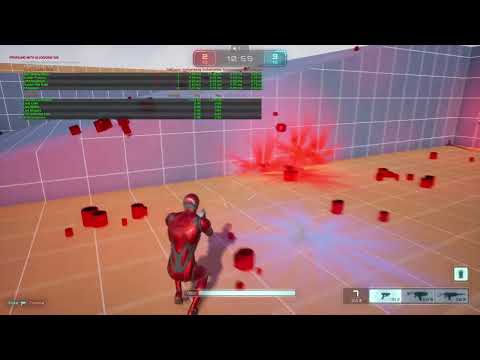
UFastGeoContainer::CreateRuntime,
which is only available at runtime in UE 5.8+.
The direct path can use the Lumen global SDF to reject candidate instances that would appear in air near platform edges, walls, or finite surfaces.
const bool bSDFAvailable =
  DoesProjectSupportDistanceFields() &&
  IConsoleManager::Get()
    .FindConsoleVariable(TEXT("r.DynamicGlobalIlluminationMethod"))
->GetInt() == 1;r.DynamicGlobalDistanceField CVar; don't trust autocomplete here.
Use the engine-blessed DoesProjectSupportDistanceFields() function plus the
r.DynamicGlobalIlluminationMethod integer check.
Lumen hardware ray tracing and low scalability settings do not build the global distance
field. bFastGeoPrepareGlobalDistanceField (Project Settings > Plugins >
TerraInk > Cosmetic Budgets, default off) makes TerraInk request it
(r.AOGlobalDistanceField and the detailed-necessity CVars) while a world with
FastGeo scatter is live, and restores them when the last such world ends. It is off by
default because it overrides renderer CVars at SetByCode priority. With it off
and the field disabled, TerraInk logs one warning and placement runs without the gate:
FastGeo scatter is enabled but the global distance field is off (r.AOGlobalDistanceField=0),
so placement runs without its surface gate.
FastGeo containers and ground Niagara components can be capped per world so a long session
cannot grow GPU memory without bound. All limits default to 0 (no limit) and
have CVar overrides (-1 uses the project setting). Budgets count allocated GPU
slots, including placement candidates the GPU later rejects. At a FastGeo limit the oldest
containers of other cells are evicted before the new one is reserved, so fresh paint still
grows. Ground VFX is refreshed five times a second, nearest painted cells first.
| Setting | CVar | Limits |
|---|---|---|
| FastGeoMaxTotalInstances | terraink.FastGeo.MaxTotalInstances |
Retained GPU instance slots across all TerraInk FastGeo containers in a world. |
| FastGeoMaxContainers | terraink.FastGeo.MaxContainers |
Retained FastGeo containers per world. |
| FastGeoMaxInstancesPerCell | terraink.FastGeo.MaxInstancesPerCell |
Retained slots for one cell / layer / tier, across growth batches. |
| MaxGroundVFXComponents | terraink.MaxGroundVFXComponents |
Deferred ground Niagara components per world, nearest painted cells first. |
| GroundVFXMaxDistance | terraink.GroundVFXMaxDistance |
Ground Niagara culling distance from the nearest local camera, in cm. |
Different latency and authoring trade-offs. The direct bridge is per-paint-event and bypasses PCG graph evaluation; the PCG path lets you compose scatter rules with arbitrary point ops in a graph. Both write into the same FastGeo container abstraction; only the construction route differs.
PCG runtime-gen also re-runs the whole graph for any change, while the direct bridge
updates only the affected cell – relevant when paint events arrive rapidly. PCG-routed
FastGeo is also GPU-runtime-gen-only: the CPU
UPCGComponent::Generate() path does not use componentless primitives even
when the engine CVar is set.
Public types and free functions for the direct FastGeo path. UE 5.8+ only. For the high-level overview see FastGeo Paths.
terraink.FastGeo.MaxHandlesPerCell (default 4).BuildTerraInkFastGeoCluster (in TerraInkFastGeoCompute) when the resolver picks the FastGeo backend.
The placement compute reads splat positions from SplatPackedData, not from
the paint render target, so PaintRT is optional on the request. When it is
null the dispatch binds GBlackTexture with the paint-RT gate disabled,
which unblocks scatter at startup before any RT has been initialized.
struct FTerraInkBuildClusterRequest
{
    UWorld*                    World;
    UStaticMesh*               Mesh;
    UTextureRenderTarget2D*    PaintRT;
    FVector4f                  ChannelMask;
    FBox                       CellWorldBounds;
    FBox                       ArenaWorldBounds;
    int32                      MaxInstances;
    uint32                     Seed;
    float                      MeshScaleMin;
    float                      MeshScaleMax;
    float                      PaintZ;
    float                      PaintZJitter;
    FVector                    SurfaceNormal;
    bool                       bCastShadow;
    bool                       bEnableCollision;
    TArray<FVector4f>          SplatPackedData;
    /* ... */
};

struct FTerraInkFastGeoClusterHandle
{
    TStrongObjectPtr<UFastGeoContainer> Container;
    bool IsValid() const;
};

FTerraInkFastGeoClusterHandle BuildTerraInkFastGeoCluster(const FTerraInkBuildClusterRequest&);
void DestroyTerraInkFastGeoCluster(FTerraInkFastGeoClusterHandle&);
The handle uses TStrongObjectPtr to keep the runtime container GC-anchored
for its lifetime. A weak ref would let GC reclaim the container, leaving the renderer
scene with a stale primitive scene data pointer and crashing in the next relevance pass.
Same pattern as the PCG bridge: state keyed by TWeakObjectPtr<UWorld>,
cleanup on OnWorldBeginTearDown. This avoids cross-world primitive ID
contamination in multi-PIE-client sessions.
FTerraInkFastGeoHooks (in TerraInk/Public/TerraInkFastGeoHooks.h)
declares the build / cleanup delegates:
| Delegate | Fires | Payload |
|---|---|---|
FTerraInkFastGeoBuildDelegate |
Resolver picks FastGeo for a (cell, layer, tier, mesh) tuple | Request a cluster build. |
FTerraInkFastGeoCleanupDelegate |
Cell exit / tier demote | Cleanup specific cluster. Takes UWorld* first. |
FTerraInkFastGeoCleanupAllDelegate |
World teardown | Cleanup all clusters. nullptr world means all worlds. |
The bridge subscribes on startup; the runtime module fires.
TerraInkFastGeoBridge.Build.cs and TerraInkFastGeoCompute.Build.cs
throw a BuildException on UE < 5.8. Drop the modules from your
.uplugin on 5.6 / 5.7 to skip them entirely:
"Modules": [
    { "Name": "TerraInk",          "Type": "Runtime", "LoadingPhase": "Default" },
    { "Name": "TerraInkPCGBridge", "Type": "Runtime", "LoadingPhase": "Default" }
    // TerraInkFastGeoBridge and TerraInkFastGeoCompute removed for 5.6 / 5.7
]Two reasons:
UPCGComponent::Generate() path does not use componentless
primitives even when pcg.RuntimeGeneration.ISM.ComponentlessPrimitives
is set; the direct bridge sidesteps that constraint entirely.
See FastGeo Paths for the higher-level comparison between the two routes.
The bridge talks to TerraInkFastGeoCompute, which hosts:
TerraInkFastGeoPlacement.cpp – splat-centric placement compute shader. Reads the splat array, generates candidate transforms, gates by Lumen global SDF.TerraInkSDFSampler.cpp – view extension that drains a build queue per render thread tick and dispatches the placement plus PCG scene-writer compute shaders.TerraInkFastGeoCluster.cpp – the BuildTerraInkFastGeoCluster and DestroyTerraInkFastGeoCluster entry points that wrap UFastGeoContainer::CreateRuntime and DestroyRuntime.CreateRuntime failed (check log for "UFastGeoContainer::CreateRuntime returned null") or the engine doesn't support runtime FastGeo. Resolver falls back to HISM.FWorldDelegates::OnWorldBeginTearDown is hooked. If containers survive multiple promote / exit cycles, the cleanup delegate isn't firing.Primitives.Num() == 0 assert suggests a missing FlushRenderingCommands call.Changes since 1.0.4, newest first. Every version ships the same source for UE 5.6, 5.7 and 5.8.
bPreloadScatterAssets (Scatter, default on): tier meshes, material overrides, ground VFX systems, decal and brush materials load when the paint system initializes and on SwapPaintConfigs, instead of with LoadSynchronous on the first scatter (a measured 24 ms hitch frame).UTerraInkPaintableSurfaceComponent binds every mesh of the owner, not only the first.IsTerraInkAwareMaterial).BindLandscapePaint, called by the world scan and the per-hit auto-attach. The runtime module depends on the Landscape module.MaxSplats cap is cleared from the surfaces too (no permanent ghost paint).TerraInk::SplatCells::EraseSlot, test TerraInk.SplatCells.EraseKeepsColumnPacked).PaintZoneWithInstigator, PaintZoneAtHitWithInstigator, FTerraInkSplat::Instigator, GetPainterAt.GetTierForIntensity: tier for an intensity you sampled yourself.bFastGeoPrepareGlobalDistanceField is off by default, with a one-time warning when FastGeo runs without the field.TerraInk supports UE 5.6, UE 5.7, and UE 5.8+, but FastGeo runtime construction is gated behind UE 5.8+.
| Feature | UE 5.6 | UE 5.7 | UE 5.8+ |
|---|---|---|---|
| Runtime paint | Yes | Yes | Yes |
| HISM scatter | Yes | Yes | Yes |
| PCG bridge | Yes | Yes | Yes |
| FastGeo direct bridge | Excluded | Excluded | Yes |
| PCG to FastGeo | Falls back to HISM | Falls back to HISM | Yes |
| Plugin | UE 5.6 | UE 5.7 | UE 5.8+ |
|---|---|---|---|
| Niagara | Required | Required | Required |
| PCG | Required | Required | Required |
| FastGeoStreaming | Optional | Optional | Required for direct bridge |
| PCGFastGeoInterop | Not present | Optional | Required for PCG-to-FastGeo |
PCGFastGeoInterop.
UE 5.7 ships UFastGeoContainer and FFastGeoProceduralISMComponent,
but only as edit-time / cooked entities. There is no public runtime construction API.
PCG's own runtime path goes through the same 5.8 entry point, so even PCG-routed FastGeo
is 5.8+. Backporting CreateRuntime from 5.8 into a 5.7 fork is feasible
(a few files in Engine/Plugins/Experimental/FastGeoStreaming/) but requires
engine modification.
UE 5.7's Components/InstancedSkinnedMeshComponent.h declares the class with
UE_EXPERIMENTAL(5.6, "..."), which expands to a [[deprecated]]
attribute MSVC rejects with C3837. Fixed in 5.8. The
TerraInkSDFSampler.cpp source ships a 5.7-only macro-suppression block to
dodge the parser bug; see Troubleshooting for the pattern
if you hit it elsewhere.
| If you... | Use |
|---|---|
| Want maximum compatibility | UE 5.6 or 5.7, HISM path only |
| Need high-density GPU-scene scatter | UE 5.8+ |
| Author scatter through PCG runtime-gen graphs | UE 5.8+ for FastGeo output; UE 5.6+ for HISM-output graphs |
Common runtime controls for debugging, backend selection, and splat storage.
| CVar / Command | Purpose |
|---|---|
| terraink.DumpStats | Print per-world cell, splat, bridge, and instance counts. |
| terraink.UseHISM | Engineer override to force HISM. |
| terraink.FastGeo.Enabled | Master switch for the direct FastGeo path. |
| terraink.FastGeo.MinInstanceCount | Auto-resolver threshold for choosing FastGeo. |
| terraink.FastGeo.PreviewBackend | Editor preview override: Auto, HISM, or FastGeo. |
| terraink.FastGeo.RequireOnly | When set to 1, skip the HISM fallback if the FastGeo bridge declines a build. The cell stays empty for that frame and retries on the next paint readback. |
| terraink.FastGeo.RadialBiasExponent | Radial bias exponent for splat-disc sampling (FastGeo and HISM share the same value). Sentinel -1 uses the project setting; clamped to [0.1, 8.0]. |
| terraink.FastGeo.MaxHandlesPerCell | Bounded FIFO of FastGeo container handles per (cell, layer, tier). Default 4, range [1, 32]. |
| terraink.Debug.ShowProxyClass | Encodes resolved backend into per-instance custom data for visualization. |
| terraink.MaxSplats | Hard cap on the total number of live splats in the CPU mirror. Older entries evict when the cap is hit. |
| terraink.SplatGridResolution | Acceleration grid resolution per axis. Sampled at paint system initialization. |
| terraink.MaxSplatsPerCell | Per-cell splat slot count in the cell-strip texture. |
| terraink.PaintZonePollHz | UTerraInkPaintZoneRegistry tick rate. Default 10. Sampled at world begin. |
| terraink.FastGeo.MaxTotalInstances / MaxContainers / MaxInstancesPerCell | FastGeo cosmetic budgets per world. -1 uses project settings, 0 means no limit. 1.0.4+. |
| terraink.MaxGroundVFXComponents | Ground Niagara components per world. -1 uses project settings, 0 means no limit. 1.0.4+. |
| terraink.GroundVFXMaxDistance | Ground Niagara culling distance in cm from the nearest local camera. -1 uses project settings, 0 disables culling. 1.0.4+. |
| pcg.RuntimeGeneration.ISM.ComponentlessPrimitives | Engine CVar affecting PCG GPU runtime-gen componentless primitive output. |
terraink.Debug.ShowProxyClass 1 encodes proxy class values into
PerInstanceSMCustomData[1]: ISM is 0.25, HISM is 0.5,
and FastGeo is 0.75 (0.0 is none/off).
Common failure modes and where to look first. Grouped by area.
Existing splats keep baked color. Paint fresh splats over the area; closest-N eviction will replace older entries when new splats land closer to cell centers. Restart PIE for a clean reset.
The splat-sampling material function may be reading row1.rgb as a
normal vector instead of a color. Verify the shader treats Row 1 RGB as
splatColor.rgb. Surface normals are no longer stored on the GPU after
the cell-strip refactor.
Two probable causes: splat radius much smaller than cell size (cells
without any splat in their AABB get no paint – raise radius relative to your
SplatGridResolution); or MaxSplatsPerCell too low
(dense clusters push out edge coverage – bump it, memory grows linearly).
Before 1.0.6 only the owner's first mesh was bound. Since 1.0.6 every mesh is bound;
a piece that still shows nothing has a material without SplatCellsTexture,
PaintRT1 or ArenaMin, or is excluded by
SetTargetMeshOverride / SkipMaterialSlots.
Look for BindLandscapePaint: '<name>' bound N dynamic instance(s) in the
log (1.0.6+). If missing, the landscape material is not TerraInk-aware, or the proxy
streamed in after the scan with auto-attach off. Runtime Virtual Texture looks and mobile
landscapes do not show it.
Fixed in 1.0.5: erasing left a hole in the cell's column and the material stopped at it.
Columns are kept packed now. Custom writers should use
TerraInk::SplatCells::EraseSlot.
Fixed in 1.0.6: a splat dropped at the MaxSplats cap stayed drawn with no CPU
splat behind it. Its slots are cleared when it is dropped.
UTerraInkPaintableSurfaceComponent is auto-attached on first paint
hit by default (bAutoAttachSurfaceOnPaint = true). It only fails to
bind when one of three things is true:
bAutoAttachSurfaceOnPaint was turned off project-wide and the actor was never explicitly opted in.
If terraink.DumpStats shows matching splat counts across machines
but visuals still differ, it's a binding issue, not replication.
Two PIE worlds collide on the literal "TerraInkSplatCells" name in the
transient package. Pass a unique name via MakeUniqueObjectName when
calling UTexture2D::CreateTransient. ZoneMapRT1 /
ZoneMapRT2 are unaffected because they're created with World
as outer.
Symptoms: BitArray OOB in FSceneCullingBuilder or VSM cache
invalidation crashes with two PIE clients. Root cause: module-static state keyed
only by gameplay coordinates collides across worlds. Fix: key all bridge state by
TWeakObjectPtr<UWorld>; hook FWorldDelegates::OnWorldBeginTearDown
for early teardown.
World-space scatter anchors instances at world coordinates with no concept of which
surface generated them. UTerraInkProjectSettings::bSpawnScatterOnDynamicSurfaces
defaults to false in current builds – hits on Movable
actors skip the world-space spawn pipeline and only fire OnPaintHitDynamic.
Flip it back if you've explicitly enabled it.
Lyra spawns cosmetic body / accessory meshes as separate actors via
UChildActorComponent. Add UTerraInkDynamicPaintComponent to
the cosmetic-part BP (B_Manny, B_Quinn, ...), and confirm the
body's master material uses MF_TerraInk_ApplyPaint_Local.
EnsureSurfacePaintBinding walks one level of child actors automatically.
You may be on UE 5.6 / 5.7 (silent downgrade), terraink.FastGeo.Enabled 0
may be set, instance count may be below terraink.FastGeo.MinInstanceCount,
or the tier may use a WPO material or have collision without
bGenerateSurrogateComponents. Run
terraink.Debug.ShowProxyClass 1 to see the resolved class encoded into
PerInstanceSMCustomData[1].
HandleBuild: BuildTerraInkFastGeoCluster failed ... Falling back to HISM.
This warning comes from the legacy code path that runs when the
TerraInkFastGeoBridge module isn't loaded; on an engine with the bridge
present, build failures route through the bridge's decline channel instead. Make
sure the resolver downgrades FastGeoProceduralISM to HISM before
the bridge is consulted on UE < 5.8, and that the FastGeo modules' Build.cs
files throw BuildException on older engines. Set
terraink.FastGeo.RequireOnly 1 while triaging to see which cells the
bridge is declining (combine with LogTerraInkFastGeoBridge Verbose for
the decline reason).
BitArray SetRange index OOB inside FSceneCullingBuilder::MarkForRemove
points at the placement buffer publishing garbage transforms. Verify
TerraInkFastGeoPlacement.cpp zero-clears the instance buffer
before placement runs – the AddClearUAVPass call in
DispatchTerraInkPlacement must execute before the placement compute,
not after.
The resolver fell back to HISM. Check terraink.DumpStats – if
Path reads Standard ISM, FastGeo isn't engaged. Lower
terraink.FastGeo.MinInstanceCount for testing; verify the tier doesn't
use a WPO material; confirm terraink.FastGeo.Enabled 1.
Use the engine-blessed function, not a fictional CVar:
const bool bSDFAvailable =
  DoesProjectSupportDistanceFields() &&
  IConsoleManager::Get()
    .FindConsoleVariable(TEXT("r.DynamicGlobalIlluminationMethod"))
    ->GetInt() == 1;
r.DynamicGlobalDistanceField does not exist; don't trust autocomplete.
The tier's mesh, material or VFX system loaded synchronously on first use. Since 1.0.7
bPreloadScatterAssets (default on) loads every tier asset when the paint
system starts, asynchronously since 1.0.8; check the log for
PreloadScatterAssets: N tier asset(s) streamed. A remaining hitch means the
asset is not referenced by a registered paint config.
FastGeo placement runs without its surface gate. Enable the global distance field in your
renderer settings, or turn on bFastGeoPrepareGlobalDistanceField (Cosmetic
Budgets) so TerraInk prepares it while FastGeo scatter is live.
Engine-side bug: the class declaration uses UE_EXPERIMENTAL(5.6, "...")
which expands to a [[deprecated]] attribute MSVC rejects with C3837.
Fixed in 5.8. Workaround in TerraInkSDFSampler.cpp (and any other file
that transitively pulls in <Components/InstancedSkinnedMeshComponent.h>
on 5.7):
#if ENGINE_MAJOR_VERSION == 5 && ENGINE_MINOR_VERSION == 7
    #include <Misc/Build.h>
    #pragma push_macro("UE_EXPERIMENTAL")
    #undef UE_EXPERIMENTAL
    #define UE_EXPERIMENTAL(Version, Message)
#endif
#include <FastGeoContainer.h>
#include <FastGeoProceduralISMComponent.h>
#if ENGINE_MAJOR_VERSION == 5 && ENGINE_MINOR_VERSION == 7
    #pragma pop_macro("UE_EXPERIMENTAL")
#endif
#pragma push_macro / pop_macro is portable across MSVC,
Clang, and GCC.
If you copied the C3837 workaround into a file that doesn't need it, or applied it
inside a header, MSVC may emit a redefinition warning. Use the workaround only on
.cpp files that transitively pull in InstancedSkinnedMeshComponent.h
on 5.7, and gate strictly to
ENGINE_MAJOR_VERSION == 5 && ENGINE_MINOR_VERSION == 7.
The TerraInk editor checklist (Window > TerraInk Checklist) verifies
project state. On UE 5.6 / 5.7 the FastGeo section short-circuits to a single info
row by design (no FastGeo runtime to validate). On 5.8+, ensure
DoesProjectSupportDistanceFields() returns true;
if false, Distance Field shadows or generation may be disabled in project settings.
Recurring questions and design rationale, collected from the issue tracker and Slack.
SplatVisualColor recolor my existing paint?
Splat color is baked into the cell-strip splat texture at write time, not looked up via
material parameters. Each splat carries its own color in Row 1 of its texture slot,
captured from UTerraInkPaintConfig::SplatVisualColor when the splat was
created. Changing the config field after the fact doesn't propagate backwards.
The trade-off was simplicity vs. flexibility: baking the color is one CPU write per
splat, no shader-side lookup table, no extra texel per slot, no extra material
parameter. Cost: existing paint keeps its old color until you paint fresh splats over
it. If you want live-tunable layer colors at the cost of +50% texture memory and a bit
more shader work, switch to a 3-texel layout with the layer index in Row 2 and
LayerColor0..LayerColorN VectorParameters on the MID.
It transitions, not wipes. The cell-strip storage doesn't know layer identity at the GPU level – each slot holds a color, position, radius, intensity. When layer B paints over an R-painted area, B-splats compete with R-splats via closest-N eviction. B-splats geometrically closer to a cell's center replace the worst R-splat; B-splats farther than every R-splat are dropped for that cell.
Result: the surface progressively transitions from R-color to B-color. Persistent
R-splats near cell centers may resist replacement; bump MaxSplatsPerCell or
shrink SplatGridResolution (larger cells accept more splats) for sharper
transitions. For a hard "B wipes R" override you'd need a layer-priority eviction
strategy – not implemented today.
Different latency and authoring trade-offs. The direct bridge is per-paint-event and bypasses PCG graph eval; the PCG path lets you compose scatter rules with arbitrary point ops in a graph. Both write into the same FastGeo container abstraction; only the construction route differs.
Multi-PIE-client sessions run two UWorlds simultaneously. Module-static
state keyed by gameplay coords alone collides between the two worlds and corrupts
scene-culling bookkeeping (manifesting as BitArray OOB or VSM cache
crashes). Keying by TWeakObjectPtr<UWorld> separates the lanes, and
plumbing UWorld* through cleanup delegates ensures the right state map
gets cleared on world teardown.
FastGeoProceduralISM showing as HISM in terraink.DumpStats?Three possibilities:
#if UE_VERSION_OLDER_THAN(5, 8, 0) block in UTerraInkScatterManager_ResolveProxyClass).terraink.FastGeo.Enabled 0 was set somewhere.
Run terraink.Debug.ShowProxyClass 1 to see the resolved class encoded in
PerInstanceSMCustomData[1] (0.25 = ISM, 0.5 = HISM,
0.75 = FastGeo; 0.0 = none/off).
Yes for paint and HISM scatter. The Lumen global SDF gate is only used by the FastGeo direct bridge to reject "in air" placements; without Lumen, the gate is disabled and placement runs without surface validation. The HISM path doesn't use SDF at all.
Yes. Subclass UTerraInkPaintFilter (or implement the filter interface) and
reference it from your layer's filter slot. Filters run on every accepted hit before the
splat is created; they're pure C++ predicates with no UObject overhead in the hot path.
Splats serialize on the UTerraInkSubsystem per world. Save the world to
persist; load to restore. Replicated splats follow the same path on dedicated server,
so clients joining mid-session catch up via the standard replication path.
Yes. The bCastShadow field on FTerraInkBuildClusterRequest
propagates to the procedural ISM component descriptor. The auto-resolver also factors
shadow casting into its decision: tiers that cast shadow get HISM at lower instance
counts because shadow culling overhead matters more than instance memory.
Yes, but it requires editing the layer's replication settings, not a CVar. Set the layer's replication frequency to a sentinel value, or disable the layer's replication flag entirely.
UE 5.6 for HISM scatter. UE 5.8 for FastGeo runtime construction. The plugin was
originally developed against UE 5.8+ and ports backward via Build.cs and
#if UE_VERSION_OLDER_THAN gates.
By design. The validator early-exits on UE < 5.8 with a single info row instead of
running through every FastGeo readiness check. None of those checks are actionable on
5.7 (you can't enable a runtime API that doesn't exist), so showing them as
Fail rows would be misleading.
| CVar | Affects |
|---|---|
terraink.FastGeo.Enabled | Direct bridge master switch |
terraink.FastGeo.MinInstanceCount | Auto-rule FastGeo threshold |
terraink.FastGeo.PreviewBackend | Editor backend override |
terraink.FastGeo.RequireOnly | Skip HISM fallback when bridge declines (diagnostic) |
terraink.FastGeo.RadialBiasExponent | Splat-disc sampling shape, FastGeo and HISM |
terraink.FastGeo.MaxHandlesPerCell | Per-cell FIFO cap on FastGeo container handles |
terraink.UseHISM | Global force-HISM (highest priority) |
terraink.Debug.ShowProxyClass | Debug visualization mode |
pcg.RuntimeGeneration.ISM.ComponentlessPrimitives | PCG path (engine CVar, GPU runtime-gen only) |
Yes, on a per-engine basis through the .uplugin Modules array:
TerraInk. The runtime module owns the subsystem, scatter manager, replicator, paintable surface component, and dynamic paint component. Painting and HISM scatter run with this module alone.TerraInkEditor, TerraInkTests.TerraInkPCGBridge. Required only if any tier in any paint config uses PCG.Graphs. HISM / ISM / FastGeo paths run without it. The runtime fires its dispatch delegate unconditionally; if the bridge isn't loaded the call is a no-op.TerraInkFastGeoBridge, TerraInkFastGeoCompute. Required only for the direct FastGeo path (ProxyClass = FastGeoProceduralISM or Auto resolving to FastGeo). Without these, scatter falls back to HISM.
Drop any module you don't need from the .uplugin for that engine version.
The runtime is decoupled enough that missing optional modules just mean the
corresponding delegates have no subscribers.